
Long tickets, full of back-and-forth emails, consume a disproportionate amount of technician time before they even start solving the problem. – The NexTool AI Assist module brings Artificial Intelligence directly into the GLPI ticket, eliminating this friction.
The problem
In high-volume support environments, technicians need to read the entire ticket thread before acting: user messages, colleague followups, automatic replies. In a typical scenario, a ticket can have 15 or 20 entries before reaching the person responsible for resolution.
Beyond the time spent reading, formulating clear and professional responses also consumes cognitive energy. Less experienced technicians frequently produce ambiguous or incomplete responses, generating more replies and lengthening the resolution cycle.
The result is predictable: compromised SLA, overloaded technicians, and unsatisfied users. AI solves exactly these two friction points – reading and writing.
How AI Assist works
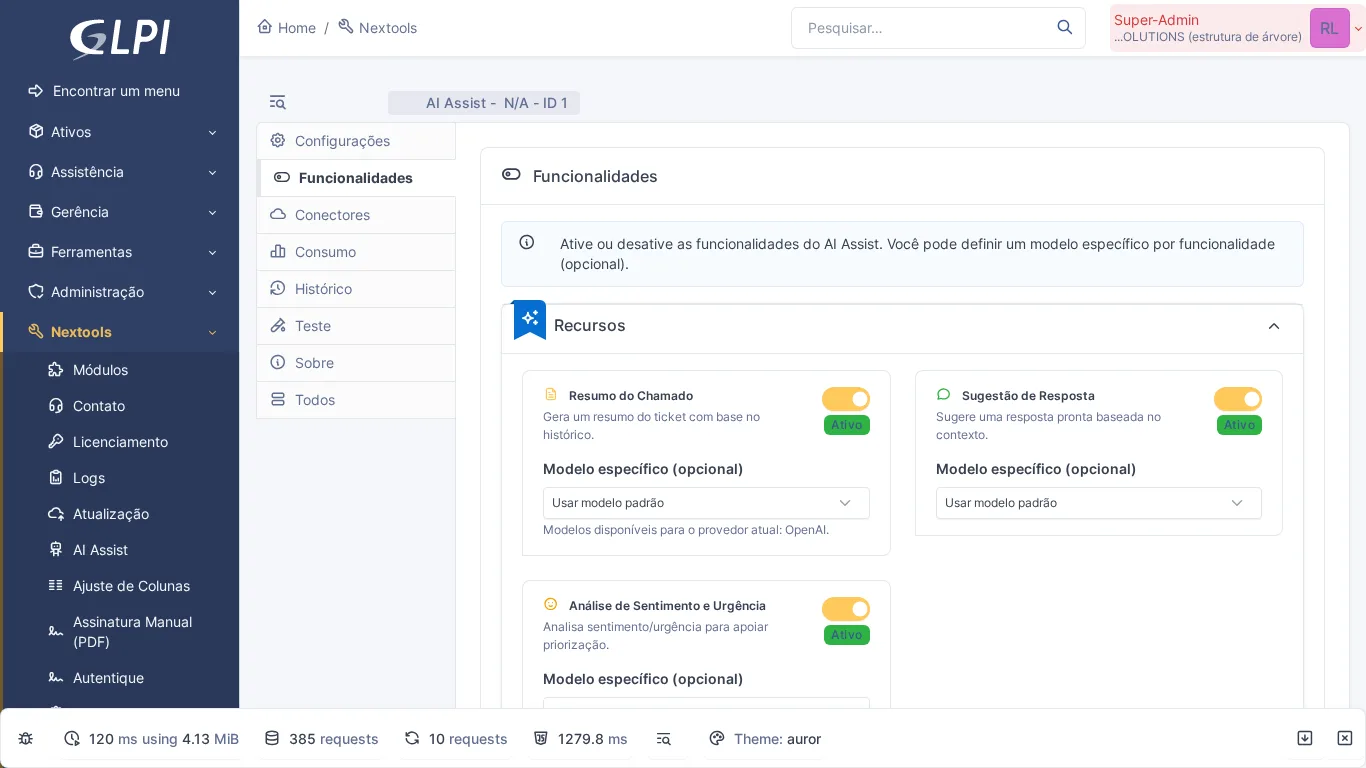
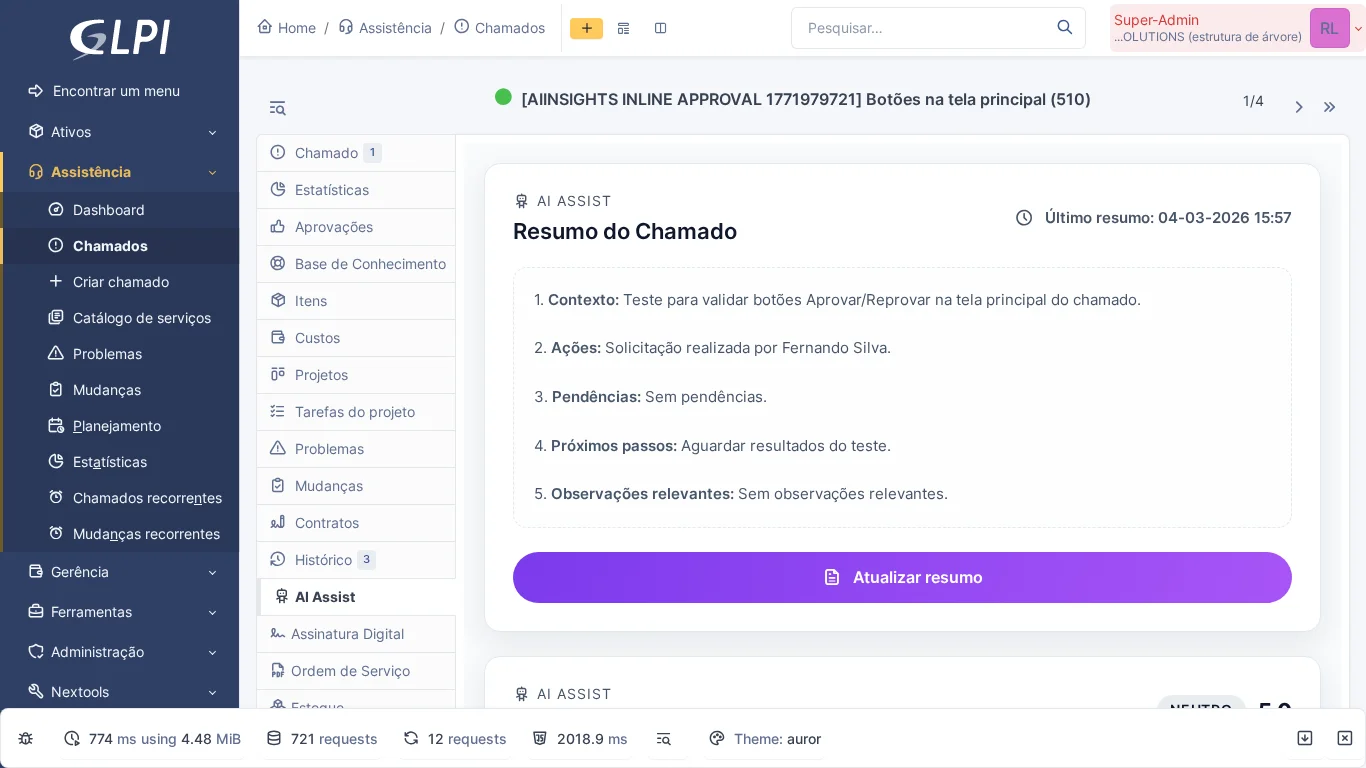
After activating the module, an AI Assist tab appears in each GLPI ticket. From there, the technician has access to four main features:
- Automatic summary – One click on the "Summarize" button sends the ticket content to OpenAI and returns an objective summary, highlighting the reported problem, what has already been tried, and the current state.
- Response suggestion – The "Suggest response" button generates a professional draft ready for review and sending. The technician edits if desired and pastes it into the followup.
- Sentiment and urgency analysis – A visual badge indicates the ticket's tone (positive, neutral, negative) and perceived urgency level, helping with prioritization.
- Usage dashboard – Control panel with logs, quota control, and rate limit, so managers can track OpenAI API usage without billing surprises.
The integration is made directly with the OpenAI API, configured via the module panel. Secure AJAX endpoints ensure no sensitive content appears in query strings or logs.
How to activate
- Install the NexTool plugin on GLPI
- Go to Setup > NexTool > Modules
- Activate the AI Assist module
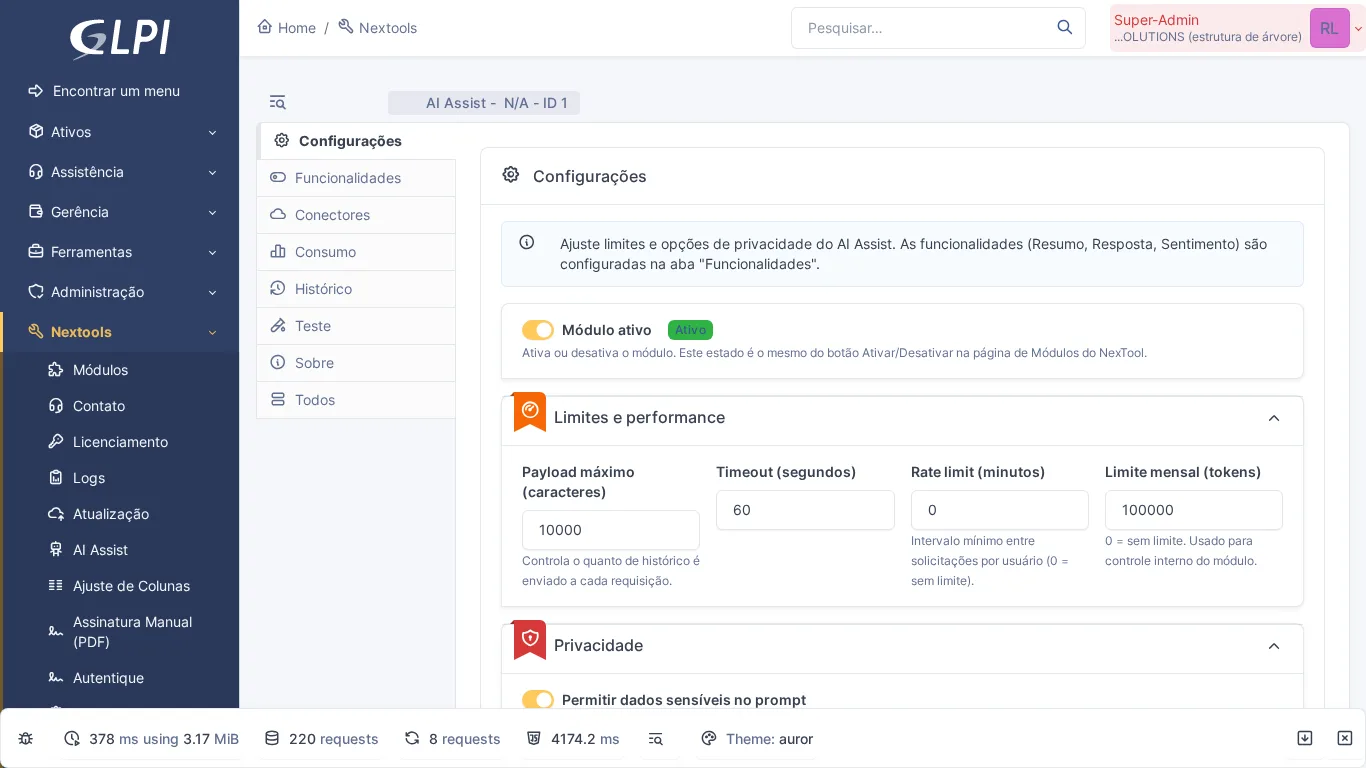
- Enter the OpenAI API key and test the connection in the configuration panel
- Set quotas and rate limits according to your environment volume
Who is it for
AI Assist is especially useful for support teams that handle high ticket volume and need to maintain consistency and agility in responses. Concrete scenarios:
- Internal helpdesk with junior technicians still developing written communication skills
- Managed service provider (MSP) service desk with tight SLAs
- Teams that serve in multiple languages and need support in formulating responses
- Managers who want user sentiment visible to prioritize critical tickets before they escalate
Compatibility
- GLPI: 10.0+ and 11.0+
- Plan: On demand (contact the NexTool team)
- Plugin: NexTool 3.x+
- PHP: 8.0+
Next step
AI Assist is part of NexTool, a modular plugin for GLPI. Explore all available modules or contact the team for a demonstration.
This content was produced with the assistance of artificial intelligence and reviewed by the Nextool Solutions team. Screenshots are from the real GLPI environment with the NexTool plugin.



